Take-home pay, and how it differs from current balance
One figure counts every cost you had. The other counts only the cost of the driving. Both are true, and they answer different questions.
Last checked 12/09/2026.
What it is
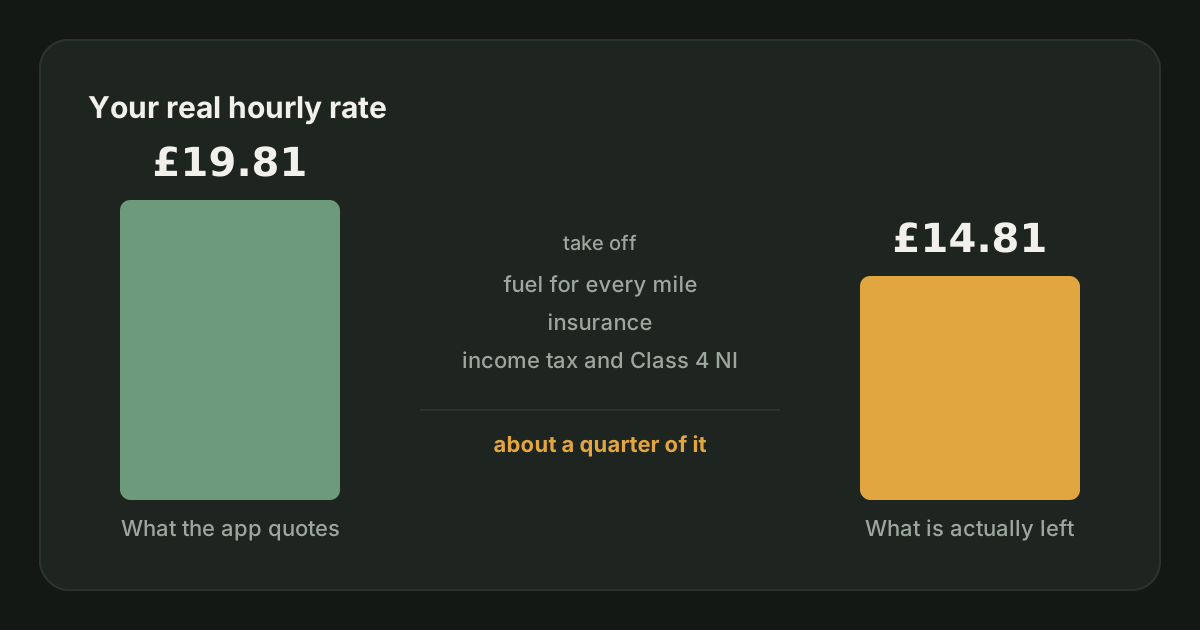
Take-home pay is what you were paid, minus the costs the driving itself creates: the fuel or electricity for every mile you drove, your vehicle insurance, and estimated tax. Nothing else goes into it.
take-home pay = earnings − all fuel − vehicle insurance − estimated tax
Insurance means all of it. The figure you set up in Settings shows on your Money tab as an automatic row, and anything you logged by hand counts on top of it. Vehicle insurance is in here because a lot of drivers pay for a social, domestic and pleasure or business policy monthly or annually, on top of pay-as-you-go hire and reward cover. That is a real cost of driving for a living, not a one-off purchase, so leaving it out would flatter the figure.
How it differs from current balance
Current balance takes off everything you spent. Take-home pay takes off only what the driving cost you.
| Cost | Current balance | Take-home pay |
|---|---|---|
| Fuel for your business miles | Subtracted | Subtracted |
| Fuel for your commute to and from the zone | Subtracted | Subtracted |
| Vehicle insurance, from Settings or logged by hand | Subtracted | Subtracted |
| Everything else on your Money tab | Subtracted | Not subtracted |
| Estimated tax | Subtracted | Subtracted |
So take-home pay is the larger of the two, and the gap between them is exactly your other expenses: parking, your phone bill, a new set of tyres, anything you bought once.
Which one to look at
- Current balance answers "what am I actually left with?". It is the honest bottom line, and it is the right figure for deciding whether the work pays at all.
- Take-home pay answers "what did the driving itself return?". It is the right figure for comparing one week against another, or one platform against another.
The reason for the second one is that current balance moves for reasons that have nothing to do with how you drove. Buy a set of tyres in week three and week three looks like a terrible week, but the driving was fine, you just bought tyres. Take-home pay holds the one-offs out, so a bad week is a bad week for a reason you can act on.
Where to find it
- On This month and This week on the Earnings tab, using the switch beside the headline figure. The bank icon shows current balance, the car icon shows take-home pay, and your choice is remembered on your account.
- On every shift in your shift log, beside its true hourly rate.
Current balance is the figure that meets you first; take-home pay is there when you go looking for it.
Mistakes to avoid
- Using take-home pay to work out what you can spend. It has not taken your expenses off. Current balance is the figure your bank balance recognises.
- Reading a gap between the two as an error. The gap is your other expenses, and if it is large, that is worth knowing.
- Switching to it because the number is bigger. It is bigger because it counts less.
Related
How JoltMile calculates your true hourly rate
The difference between gross, business and true £/hr, and exactly what each one subtracts.
Earnings & profitabilityUpdated 29/09/2026
How JoltMile works out your fuel cost
Cost per mile from your own MPG and price per litre, with a weekly UK average price from the government fuel data.
Mileage & expensesUpdated 29/09/2026
How JoltMile handles insurance costs
Annual, monthly or per-hour cover, turned into a daily rate and spread across the driving it covers.
InsuranceUpdated 29/09/2026
How JoltMile estimates your tax
Income tax and Class 4 National Insurance on your running profit, using the 2026/27 bands.
HMRC & taxUpdated 29/09/2026
Expenses and receipts
Recording what you spend, which costs are allowable, how to claim only the business share of a part-personal cost, and where it all lands on your tax return.
Mileage & expensesUpdated 29/09/2026
Riding for Deliveroo: the full guide
How Deliveroo works for a rider: what you need to join, how each fee is worked out, the pay floor agreed with the GMB union, when the money arrives, the insurance Deliveroo gives you for free, and the parts that are left to you.
Getting startedUpdated 29/09/2026